

How to Write an SOP Your Assistant Will Actually Follow
Why Most SOPs are Never Opened Twice?
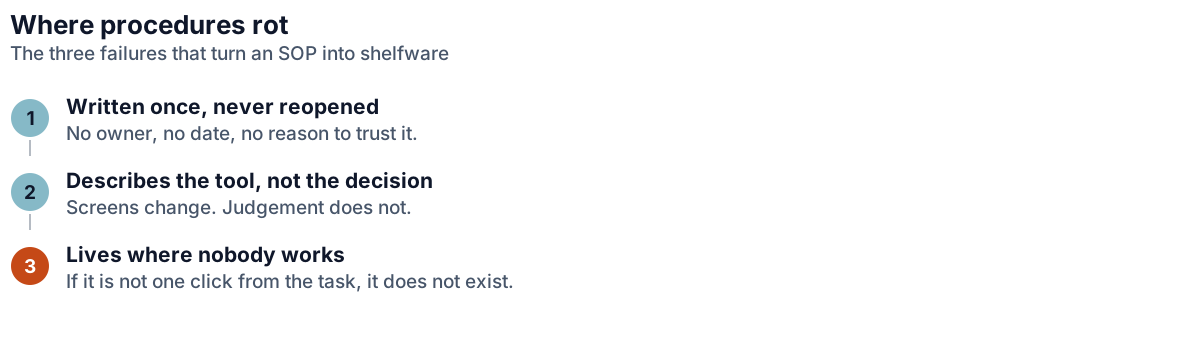
The typical standard operating procedure is written once, in a burst of good intentions, by someone describing what they think they do. It runs to several pages, covers every branch, and is read once during onboarding, before the reader has enough context for any of it to mean anything.
The failure is one of format rather than effort. A document written to be comprehensive is built for the wrong moment. What an assistant needs is a reference to check at the point of confusion: short, scannable, and organised around the questions people stop to ask.
The other common failure is writing for the wrong reader. Procedures are often written as though a stranger will one day run the business from scratch, when the real reader is someone who already works with you and needs one specific thing clarified. Writing for the real reader cuts most documents in half straight away.
The SOP Format that Survives Real Work
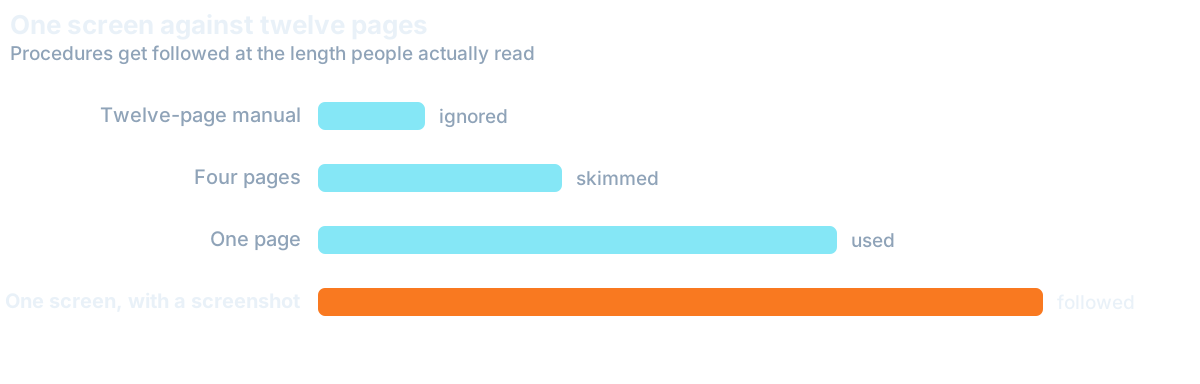
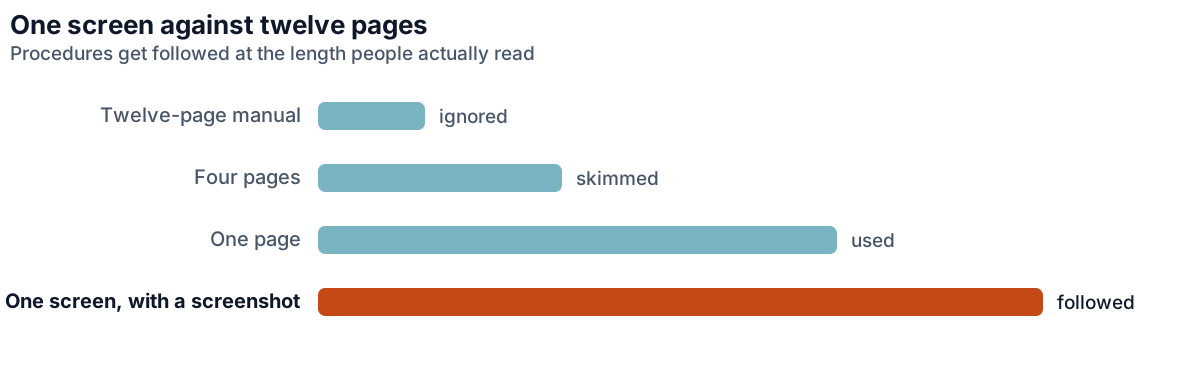
A useful SOP fits on one screen and answers four questions in order: what triggers this, what the finished thing looks like, the steps, and where to stop and ask. Everything else is commentary, and commentary is what makes documents too long to consult.
Lead with What "Done" Looks Like
Start with the finished state, not the first step. Someone who knows what "done" looks like can often navigate the middle themselves, and will certainly recognise when they have gone wrong. Procedures that open with step one and never describe the destination produce work that follows the instructions and still misses the point. It also lets the assistant check their own work, which removes an entire category of interruption. The questions that reach you are then the ambiguous ones, not a stream of confirmations.
Document the Decisions, not the Clicks
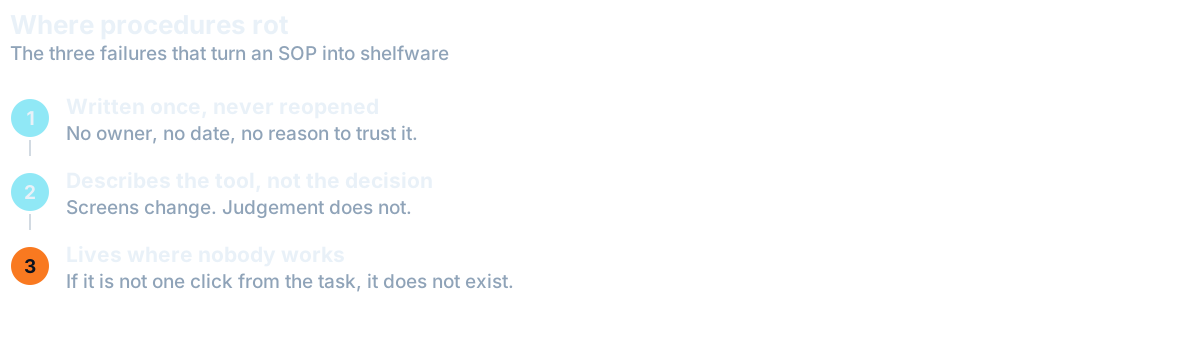
Most SOPs spend their length on mechanics: where to click, which menu, what to name the file, and almost none on judgement. That is backwards. Interfaces change and are self-explanatory in the moment. Judgement is what an assistant cannot reconstruct, and it is what decides whether the output is right.
Write down the decisions instead. Which cases are exceptions and what to do with them. What the approval limit is, as a specific number. Who to ask when something falls outside the described situation. A procedure that says "escalate anything unusual" has documented nothing, because the whole difficulty is recognising unusual in the first place.
A procedure written around decisions does a second job later. The trigger, the finished state and the approval limit on one screen are exactly what a Digital Employee needs to run the mechanical version of a task, with anything over your limit coming back to a person for approval. Owners who document this way often find a step or two that never needed a person in the first place.
A short worked example beats a long specification here. Rather than describing every branch of a decision, include one real case with the reasoning attached: this is what arrived, this is what I did, this is why. People generalise from a concrete instance far more reliably than from an abstract rule, and it takes a fraction of the time to write.
Record First, Write the SOP Second
The fastest route to a usable procedure skips the writing at first. Record yourself doing the task once while narrating the decisions, then have the person learning it turn that recording into the written version. This is faster, more accurate, and produces a better document than either of you would write alone. It also pairs naturally with handing the task over in the first place.
It works because the learner writes down what confused them, which is what the expert cannot see. Someone who has done a task for years is systematically blind to the parts that are hard for a newcomer. A procedure written by the person who just learned it is the most useful version that exists.
How to Keep your SOPs Accurate
A procedure that is wrong is worse than none at all, because it is followed confidently. Documents rot quietly: a tool changes, a rule shifts, an exception becomes the norm, and nobody updates the file because updating documentation is nobody's job.
The reliable fix is to make correction part of the work rather than a separate task. Whoever hits a step that no longer matches reality fixes that line then and there, without asking permission. It is a small habit, and it is the whole difference between documentation that stays true and documentation that quietly becomes a liability. Keeping SOPs where the work happens helps, which is why the right tool stack matters.
Version history matters less than most people assume, as long as the document is short. A one-screen procedure that is edited freely and stays accurate is worth far more than a carefully versioned twelve-page document that describes last year's process. Optimise for the thing being true today, not for a record of how it changed.
When Writing an SOP is a Waste of Time
Not everything deserves documentation, and the enthusiasm that follows a first successful SOP tends to produce a folder of procedures nobody reads. Skip the write-up when a task happens rarely and is easy to explain in a two-minute call, when the process is still changing weekly, or when the work is judgement rather than procedure.
The useful threshold: document what happens often enough that you would otherwise explain it more than twice, and what would leave a gap if the person doing it were unavailable for a fortnight. That second test is the more important one. It points straight at the knowledge your business currently cannot survive losing.
Want this handled for you?
We map the work eating your week and match a skilled specialist, typically in 7-14 days.