

The Tools Worth Using With a Virtual Assistant (and the Ones That Get Abandoned)

The Best Tools for Working with a Virtual Assistant Start Smaller than you Think
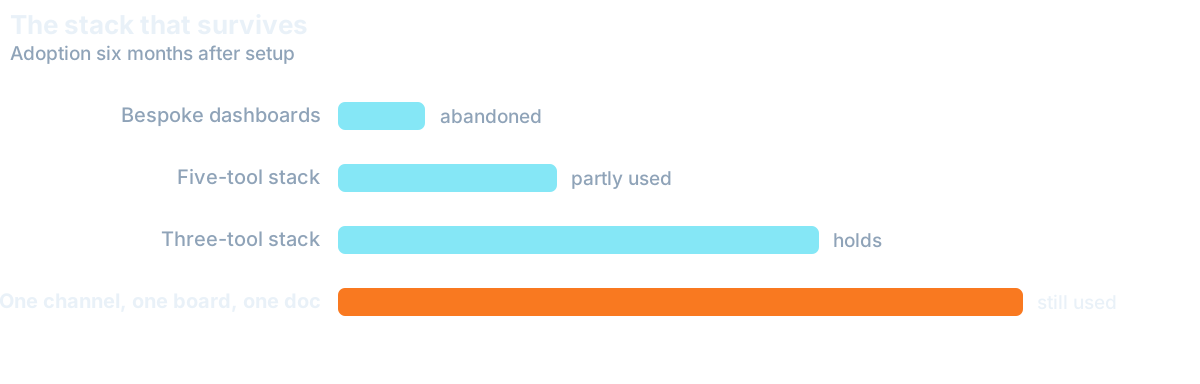
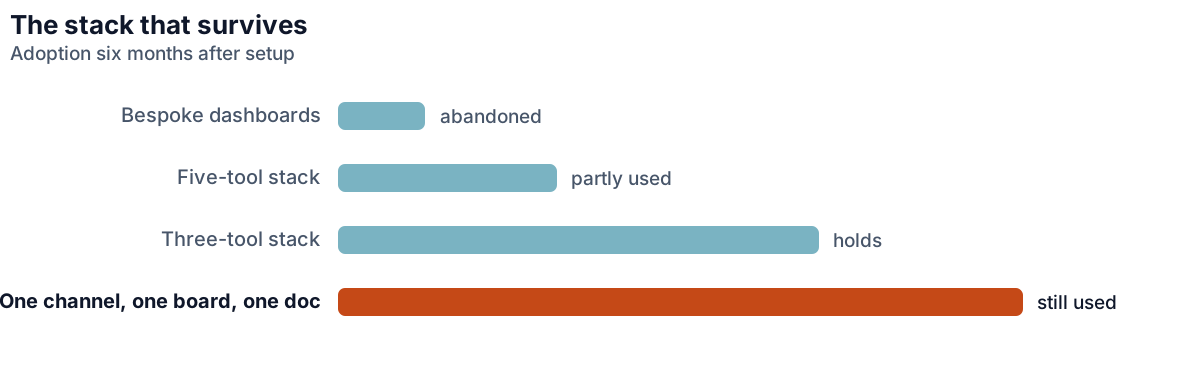
The instinct on day one is to build infrastructure: a project tool, a chat platform, a wiki, a time tracker, a shared drive with a folder convention, and a weekly dashboard. Three weeks later most of that is unused and the real work is happening over messages, which everyone treats as a discipline failure.
It is not a discipline failure. It is a load problem. Each extra tool adds a place to check, a place to forget, and a decision about where something belongs. With two people that overhead is a real fraction of the working relationship. The virtual assistant tool stack that survives is almost always the smallest one that answers four questions.
The Four Questions your Tool Stack must Answer
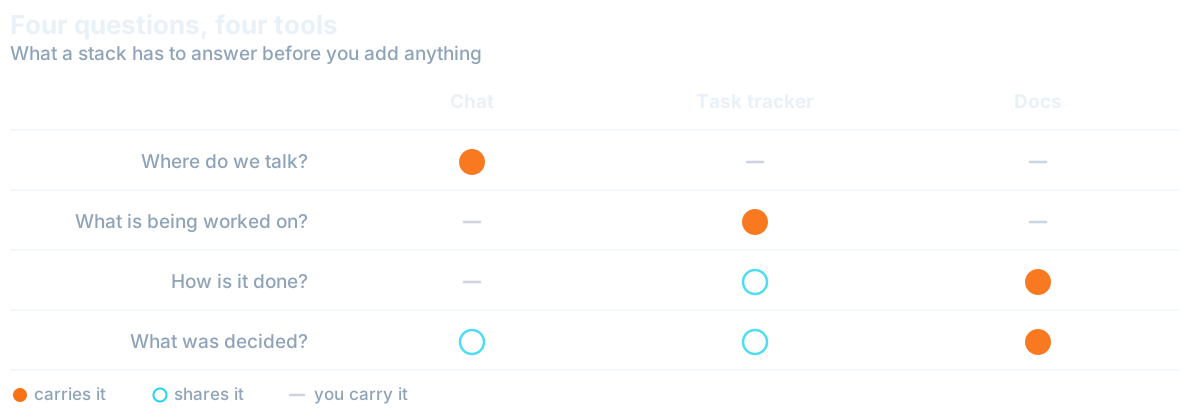
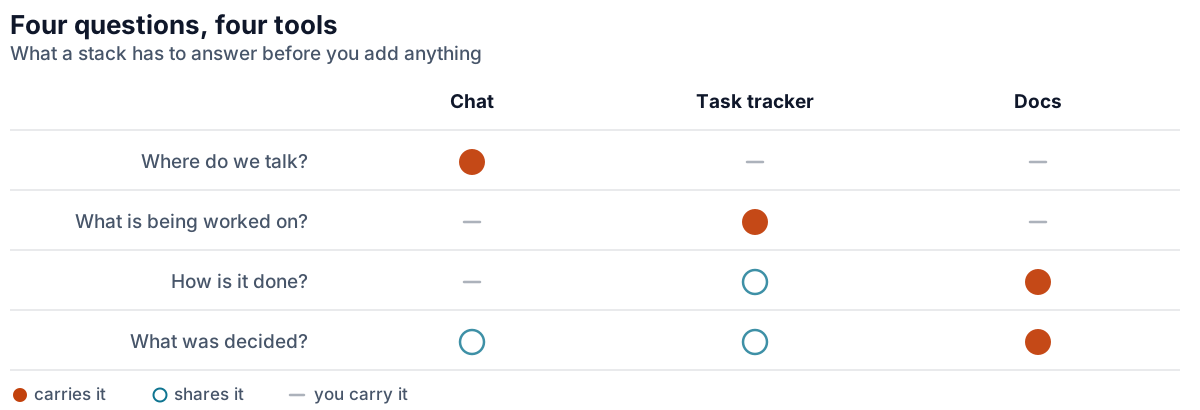
Rather than starting from tools, start from the questions that come up every day. Where do we talk. Where is the list of what needs doing. Where does finished work live. Where is it written down how to do this. One tool each, and nothing else until something breaks.
Most businesses already own all four through whatever they use for email and documents, which means the right first move is usually to use what you have rather than buy anything. Adding tools is easy and reversing that decision is socially awkward, so the bias should run the other way. This matters most in the early weeks, which our first 90 days plan covers in full.
There is a second reason to start small that has nothing to do with overhead. Every tool you introduce is one you will have to teach, support and eventually migrate away from. With a new assistant you are already teaching a business; adding six unfamiliar systems on top means the early confusion is about software rather than the work, which wastes the period when attention is most valuable.
Communication: One Channel, Two Speeds
The single most useful convention, whichever chat tool you pick, is agreeing what needs an immediate response and what does not. Without that, either everything is urgent and the assistant's day is as fragmented as yours was, or nothing is and time-sensitive things sit.
Two speeds is enough. One channel for anything that can wait until the next natural break, which should be most things, and an explicit signal for the rare item that cannot. Agree what the second one looks like and how often it is reasonable to use it. Teams that skip this end up with an assistant who checks messages compulsively, which is a bad outcome disguised as responsiveness.
Task Tracking that Survives Real Work
Elaborate project tools fail in small teams because they need maintenance that only pays off at scale. What works is a single shared list with three states, not started, in progress, and needs you, plus a standing agreement about who moves things between them. Coordinating that list is core project management work as the team grows.
The "Needs you" Column Most Setups Miss
The third state is the one most setups omit and the one that matters most. An assistant blocked on something has no way to signal it except by messaging you, which is an interruption, or by waiting, which is worse. A visible "needs you" column turns both of those into something you check when convenient. Keep the whole list in one place rather than splitting by project, because two lists become three, and within a month nobody is confident they have seen everything outstanding.
Where your Process and SOPs Live
Documentation needs a home, and the requirements are unglamorous: searchable, editable by both of you without asking permission, and linked from wherever the work happens. A shared documents folder meets all three. A dedicated wiki also does, and is worth it only once there are enough procedures that finding one becomes a problem. The format matters more than the tool, which is the point of writing an SOP your assistant will follow.
The failure mode here is scattering. Process that lives partly in documents, partly in chat history and partly in someone's memory is functionally undocumented, because nobody can find the authoritative version. One location, used consistently, beats a better tool used inconsistently. Agree how finished work is handed back too, and set up that access properly, which we cover in giving a virtual assistant access safely.
That one location matters again if you add a Digital Employee later. It runs a process inside the tools you already own, so it does best once your assistant has the manual version stable and written down there. Add it while the process still changes weekly, and it will repeat last week's version.
What to Skip, at Least at First
Time tracking is the most common early addition and the most regretted. It signals distrust just when you are trying to build a working relationship, and it measures the thing you care least about. You are buying outcomes, not attendance. If you need it for client billing, that is a different matter, and worth saying so explicitly.
Also worth deferring: dashboards nobody reads, automation built before the manual process is stable, and any tool adopted because a larger company uses it. Automation in particular is worth resisting early, because automating an undefined process just makes the wrong thing happen faster, and the process is usually still changing in the first two months.
Want this handled for you?
We map the work eating your week and match a skilled specialist, typically in 7-14 days.