

Handing Over Your Inbox Without Losing Control

Why your Inbox is the Hardest Thing to Hand over?
Email is usually the largest single drain on an owner's week and the last thing they release, which looks like inconsistency until you notice what an inbox is: the place where relationships, commitments, money and reputation all arrive in the same undifferentiated stream, and where one wrong reply is visible to someone who matters.
That caution is well founded, and the answer is to stop treating the inbox as one thing. Handled as a single block, it is too risky to delegate. Split into categories with different rules, most of it becomes routine work and only a small remainder needs you at all.
It helps to name what you are protecting. For most owners it is three things: the relationships in the inbox, the commitments made inside it, and the confidential material that arrives there unannounced. Each has a different control, tone guidance, approval limits and a named exclusion list. Separating them is what turns one intimidating handover into three manageable ones.
Give Email Access Safely, not Casually
Set this up correctly before anything else, because the shortcut version creates problems that are tedious to unwind. Use delegated access, Gmail's delegation or a shared mailbox in Microsoft 365, rather than sharing a password. Delegation gives you an audit trail, survives a password change, and can be revoked in seconds without disrupting anything else.
Sharing credentials usually breaks the terms of service, disrupts two-factor authentication in awkward ways, and leaves you unable to tell who did what. It takes about five minutes to do properly, so do it properly. The same principle runs through giving a virtual assistant access safely across every tool.
One practical detail while setting access up: agree how the assistant signs replies. Sending as you, sending on your behalf, or sending from their own address under your domain are three different arrangements with different expectations, and clients notice. Decide deliberately, rather than discovering the convention after it has set itself by accident.
Sort Every Email into Three Piles
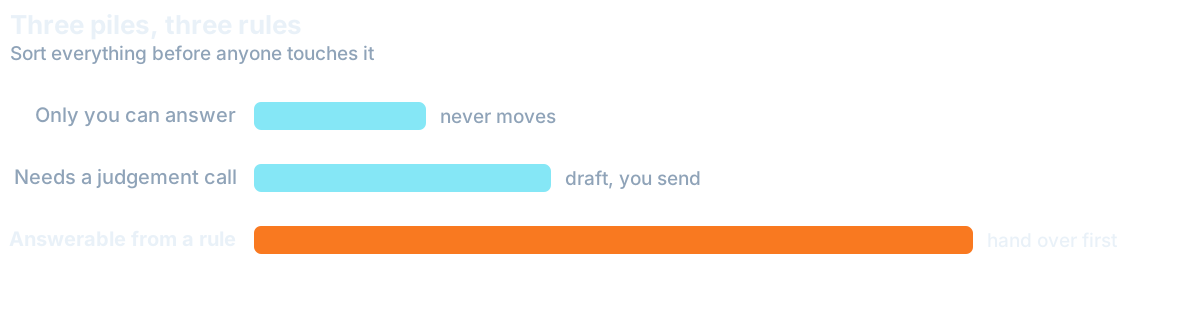
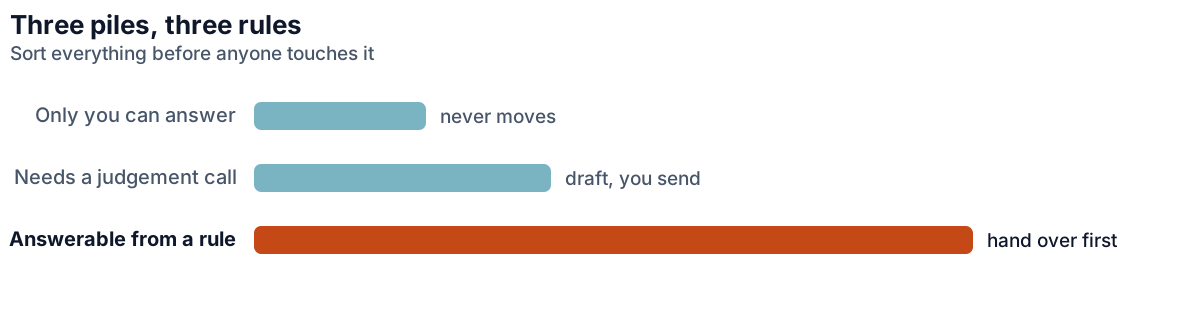
Every message belongs in one of three categories, and the categories carry different permissions. Getting this written down before the handover is the whole safety mechanism, and it takes one sitting.
- Handle alone. Scheduling, standard questions with known answers, receipts and confirmations, routine supplier traffic, anything with a template.
- Draft for review. Client updates, quotes, anything that commits you to a date or a price, replies where tone matters more than content.
- Owner only. Legal, financial disputes, complaints, anything from your accountant or lawyer, and any thread you flag by name.
The proportions surprise people. In most inboxes the first pile is well over half the volume and almost none of the risk, which is why the all-or-nothing framing keeps owners stuck in work they could have released months ago.
That first pile is also where a Digital Employee can help, if you want one on the inbox. Receipts, confirmations and scheduling replies follow fixed rules, so a Digital Employee can file and answer them while your assistant drafts the second pile and you keep the third. A person and a Digital Employee sharing one inbox is a Hybrid Team, and the three piles become its rulebook: what goes out on its own, what waits for approval, and what never leaves you.
Expect the boundaries between piles to need adjusting in the first fortnight. A category that looked routine turns out to carry a client relationship; something you flagged as owner-only turns out to be entirely mechanical. Treat the first two weeks as calibration rather than as evidence about whether the arrangement works, and move the boundary rather than abandoning the pile.
Hand it over in Stages, not All at Once
Start with the assistant reading and sorting only, no replies at all. For the first week they triage, label and draft nothing. You still answer everything, but you answer a sorted inbox, which is itself a noticeable improvement and costs you no risk whatsoever.
In the second week they draft replies for the first pile and you approve each one, which takes seconds and teaches faster than any briefing document. By the third week they send the first pile unsupervised and draft the second. Most owners reach a steady state in a month, and the ones who fail typically skipped straight to week three. The wider 30-60-90 day onboarding plan follows the same staged shape.
Watch your own behaviour during those weeks too. A common pattern is that the owner keeps answering things directly out of habit, which quietly starves the assistant of the volume they need to learn the patterns. If you find yourself replying to messages that belong in the first pile, the handover has stalled for reasons that have nothing to do with the person you hired.
How to Make Replies still Sound Like you
The fear underneath most inbox hesitation is not error but tone: that a client will receive something that does not sound like you and will notice. It is a reasonable worry, and it has a mechanical solution. Give examples rather than adjectives.
Pull ten replies you were happy with and hand them over as the reference. Add a short list of things you never say and any phrases you always use. This works far better than describing your voice as "warm but professional", which every person interprets differently. Ten real emails settle the question in a way no description can, and they double as the first entry in an SOP your assistant will follow.
Response times are worth agreeing explicitly as well. An assistant who does not know your expected turnaround will either sit on things waiting for certainty or reply faster than you would have, and both create problems. A stated target for each pile, same day for routine traffic and within the hour for anything a client is waiting on, removes the guesswork. Managing an inbox at this level is core executive assistant work.


What should Never Leave your Inbox?
Some threads stay with you permanently, and both of you should know which. Anything legal or contractual. Financial disputes. Complaints, at least the first response. Anything from your accountant, lawyer or bank. Personal correspondence that happens to arrive in the same place.
Write that list down rather than relying on judgement in the moment. An assistant applying good judgement to an unfamiliar situation will occasionally be wrong, and the cases above are the ones where being wrong is expensive. A named list removes the guessing, and it protects the assistant as much as it protects you.
Want this handled for you?
We map the work eating your week and match a skilled specialist, typically in 7-14 days.