

Human-in-the-Loop AI for Small Business: What a Hybrid Team Is

What Is Human in the Loop AI?
Human in the loop AI means a person reviews, approves or corrects what an AI does at set points in a job, instead of leaving it to run unchecked. The AI does a share of the work. A human stays responsible for the result.
Technical teams use the term for everything from labelling training data to approving a model's output. Vendors that write for small firms describe the same idea in plainer terms: the AI drafts, a person gives oversight or final approval, and the review matters most where output reaches customers, revenue or compliance. The meaning is the same whichever way you meet it.
For a small business owner the question is less academic. It is this: when software writes an email, chases a payment or books a slot in your name, who looks at it before it counts?
The rest of this post answers that. It also explains what we mean by a Hybrid Team, a term most people read as remote or office work.
What Is a Hybrid Team?
A Hybrid Team is people and Digital Employees working the same job. The people decide, the Digital Employees execute, and a named person approves at the points that matter. That person can be you, someone on your team, or a HireTrainVA virtual assistant.
A Digital Employee, also called an AI Employee, is a team member that runs on AI. We build each one for a single role in your business, with goals and KPIs, working inside the tools you already use: your email, your CRM, your calendar. It is not a chatbot you open in another tab.
Here is the split in a Hybrid Team. People keep the calls, the judgment and the relationships. Digital Employees take the repeatable, rule-based work: research, drafts, follow-ups and reporting. There is no fixed count on either side. You can see the typical pairings and how they compare with Digital Employees on their own or virtual assistants on their own in our guide to the three ways to hire.
Human in the loop is how a Hybrid Team stays safe. The loop is the set of points where a person looks before the work goes on.
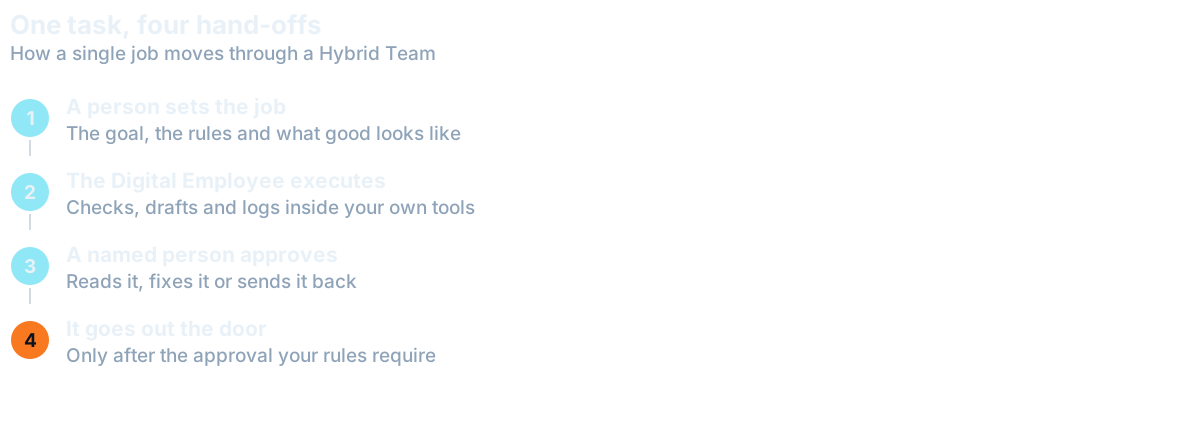

Where the Human Checkpoints Go
Put a checkpoint wherever a mistake would be expensive or hard to take back. Four places cover most small businesses.
- Anything that leaves the business. Emails to customers, proposals, social posts, replies to reviews. Once it is sent, you cannot unsend it.
- Money. Invoices, refunds, payments, changes to a supplier's bank details. A Digital Employee can prepare these. A person releases them.
- Client commitments. Dates, scope, discounts, anything that sounds like a promise.
- Exceptions. The customer who is angry, the invoice that does not match, the lead that fits no rule. When the situation falls outside the rules, it goes to a person.
Everything else can usually run without a person in the way: pulling records, checking for overdue items, logging replies, assembling a report, drafting a first version nobody outside will see. Fast checks like these are where a Digital Employee earns its place.
The test is simple. Ask what happens if the step is wrong and nobody notices for a week. If the answer is "nothing much", let it run. If the answer involves a customer, a payment or a promise, put a name next to it.
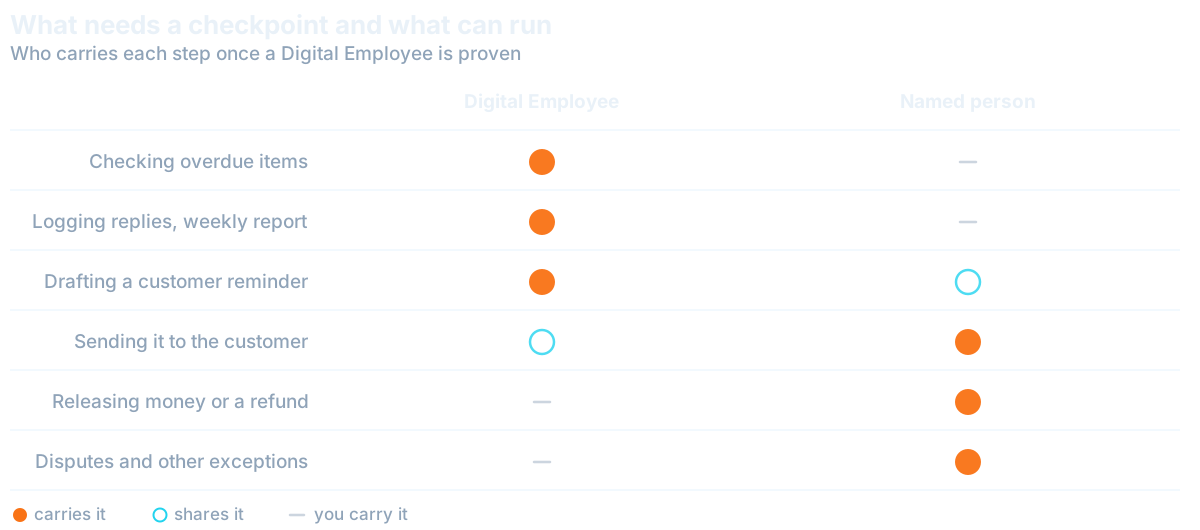
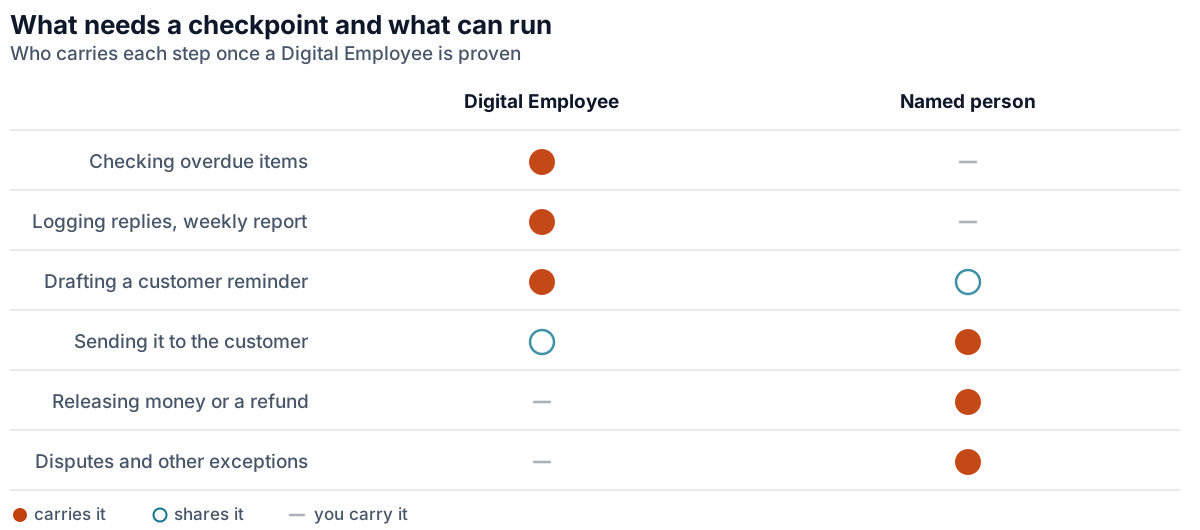
The same idea sits behind giving a virtual assistant access safely: separate preparing from approving, and keep approval with someone accountable.
How Approvals Relax as an AI Employee Proves Itself
Approvals are not forever. A Digital Employee starts supervised. Every step that matters waits for a person while you watch how it works.
Once it delivers consistent results, it runs on its own, and you choose which steps still need approval. You might let routine reminders go out untouched and keep every refund, every new customer and every unusual case in front of a person.
That is the practical difference between trust and hope. You are not asked to believe the AI is reliable. You watch it do the job, you see the record, and you loosen one step at a time. If a step starts to slip, you tighten it again.
The first weeks feel like onboarding a new hire, because that is what they are. Somebody has to say what good looks like. Deciding what to delegate first is the same discipline here: start with the work that is repeatable and low in risk.
The Weekly KPI Board and Proof of Work
Loosening approvals only makes sense if you can see what is happening. Each Digital Employee reports weekly on a KPI board, with proof of the work it did.
Proof means the actual items, not a summary that says things went well. If an Invoice Chaser reports on overdue invoices, you can open the invoices and the reminders behind the figure. If a number looks wrong, you can trace it.
This is also how human and AI collaboration stays honest week to week. The board is where the named person looks, spots a pattern and changes a rule. It takes minutes, and it replaces the vague feeling that something is happening somewhere.
A Worked Pairing: Bookkeeper and Invoice Chaser
One of our standard pairings puts a Bookkeeping VA with an Invoice Chaser Digital Employee. This is the Hybrid Team for bookkeeping.
The Bookkeeper keeps the books: reconciliations, categorising, bills and month-end close. The Invoice Chaser checks for overdue invoices, drafts the reminders and logs the replies. We build it for one business, around your accounting software, your payment terms and the way you talk to customers.
Now the loop. Reminders go out in your name, so by default every reminder waits for Approve. Your rules can let routine ones through, and hold the rest for the Bookkeeper or for you. A customer who disputes an invoice is an exception, so that goes to a person, who also decides whether to offer a payment plan or a discount.
So the Digital Employee does the checking, the drafting and the logging. The person keeps the conversation with the customer and every decision about money. Who looks after the Invoice Chaser day to day is your choice: HireTrainVA, someone on your team, or the Bookkeeper.
Three Mistakes That Break the Loop
Rubber-Stamp Approvals
An approval you click without reading is not a checkpoint. It is a delay. If you approve forty items a day and read none of them, you are carrying the risk and getting none of the protection. Fewer checkpoints that someone really reads beat many that nobody does.
No Named Owner
"The team will keep an eye on it" means nobody will. Every checkpoint needs one named person, and a named backup for when they are away. Without a name, the loop quietly stops being a loop.
Automating Judgment
Rules suit work that repeats. A decision about whether to keep a difficult client, how to word an apology or when to bend a policy is judgment. Digital Employees do not make those calls, and neither should a rule that pretends to.
When Not to Use AI at All
Some work should stay with people. Digital Employees never give legal, medical, tax or financial advice. A person with the right qualification does that, and no review step turns a draft into a professional opinion.
In medical and legal settings, a Digital Employee only assists human roles with mechanical tasks, such as sorting documents or preparing a reminder. It never takes a critical role. If a mistake could harm a patient or a client's case, the decision belongs to a qualified person from start to finish.
The same goes for anything you would be embarrassed to explain to a customer. If you would not let a new hire do it unsupervised on day one, do not let software do it either.
To find where your own checkpoints belong, run the free Founder's X-Ray. It is a 15-minute scan of your week that says which tasks suit a virtual assistant, a Digital Employee or both. Then bring the list to the discovery call and we will set the approvals with you before anything goes live.
Questions Owners Ask
What is human in the loop AI?
Human in the loop AI means a person reviews, approves or corrects what an AI does at set points in a job. The AI handles part of the work, and a human stays responsible for the result, especially for anything that reaches customers, money or commitments.
What is a Hybrid Team?
At HireTrainVA, a Hybrid Team is people and Digital Employees on the same job. People keep the calls, the judgment and the relationships. Digital Employees do repeatable, rule-based work, and a named person approves at the points that matter.
Does an AI Employee always need approval?
No. A Digital Employee starts supervised. Once it delivers consistent results it runs on its own, and you choose which steps still need approval. Steps that touch money, customers or commitments are the ones most owners keep in front of a person.
Can AI give legal or medical advice?
Our Digital Employees never give legal, medical, tax or financial advice. In medical and legal settings they only assist human roles with mechanical tasks, never critical roles. Those decisions stay with a qualified person.
Want this handled for you?
We map the work eating your week and match a skilled specialist, typically in 7-14 days.