

What Is an AI SDR, and When Does It Book Meetings (and When Does It Burn Your List)?

What Is an AI SDR?
An AI SDR is software that does the early-stage work of a sales development rep: finding prospects, researching them, writing the first email, following up and logging it all in your CRM. We call our version an Outbound SDR, a Digital Employee, also called an AI Employee, built for that single job.
The name sounds bigger than the job. A sales development rep (SDR) exists to turn a cold list into booked meetings. Most of that work follows the same steps every time, which is why software can take a large share of it. Some of it does not, and that is where owners get hurt.
If you have been burned hiring people for outbound, you are right to be wary of a tool that promises to fix it overnight. Here is what an AI SDR does well, how it ruins a list, and what it takes to run one safely.
What an SDR Does: Rules and Judgment
Break the SDR job into tasks and it splits cleanly in two. One half follows rules. The other half needs a person to decide something, read something or say something.
The Rule-Based Half
These tasks run on a checklist, and a Digital Employee can own them:
- Researching each prospect against your ideal customer description
- Building and cleaning the list, and loading it into your CRM
- Drafting the first-touch email in your voice
- Running the follow-up sequence on schedule
- Logging every touch and reply in the CRM
The Judgment Half
These tasks need a person, and a Digital Employee should only assist:
- Deciding who to target and who to leave alone
- Reading replies that are not a clean yes or no
- Making calls, where tone and timing decide the outcome
- Qualifying a lead: is this a real buyer with a real problem?
Most tools sold as an AI SDR blur this line, because blurring it is the pitch. The honest version is narrower. The software owns the left column, people own the right, and someone is named for each row.
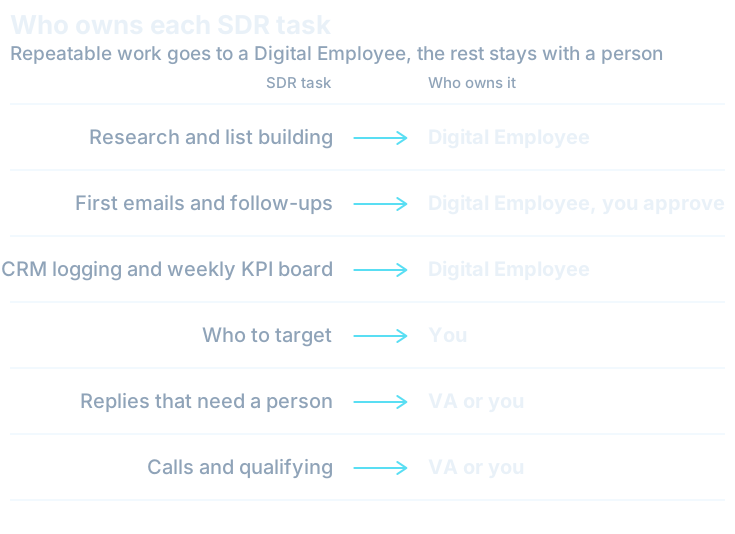
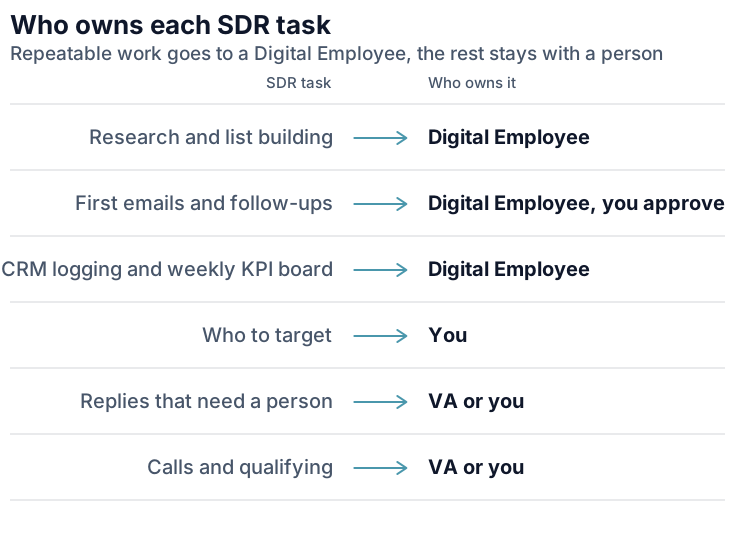
That map is the whole idea. It is also why the question is rarely “AI or a person?” Most of the time it is both, on the same job.
How an AI SDR Burns Your List
Your list is an asset. A founder with 5,000 good prospects can lose it in a month. Here is how it happens.
Volume Over Relevance
Software can send far more email than a person can write. That is the selling point and the trap. If the tool is told to send to everyone who loosely fits, it will. A prospect who gets a generic note with their first name merged in does not just ignore it. They remember your company as the one that spams.
Bad Data
Wrong titles, people who left the company two years ago, addresses that bounce. An AI SDR works with whatever it is fed, and it writes a confident, personal-sounding email to the wrong person just as readily as to the right one. Clean data is a person's job to check, at least at the start.
Deliverability and Sender Reputation
Mailbox providers watch how recipients treat your mail. Google tells senders to keep their spam rate in Postmaster Tools below 0.10% and never reach 0.30% or higher. Those are small numbers. A few annoyed recipients out of a thousand puts you at risk, and once your domain is flagged, even your normal client email can land in spam.
No One Reading Replies
This one is quiet and expensive. A prospect writes back with a real question, or a real objection, or a request to stop. If nobody reads it, the sequence keeps going. The warm lead goes cold and the annoyed one reports you.
Compliance Basics You Cannot Skip
This is not legal advice, and a Digital Employee never gives it. Talk to your own counsel for anything beyond the basics. Two rules are worth knowing before any outbound goes live.
In the US, the FTC's CAN-SPAM guide says you must honor an opt-out request within 10 business days, and that the law makes no exception for business-to-business email. It also says that hiring another company to send for you does not move your legal responsibility onto them.
On the mailbox side, Google asks bulk senders, meaning anyone sending more than 5,000 messages a day to Gmail accounts, to support one-click unsubscribe. In practice, build every sequence so that an opt-out stops it fast and stays stopped across every tool you use.
What a Safe AI SDR Setup Looks Like
The setups that work share one trait: a person stays in charge of the decisions and the software does the repeatable work. A Digital Employee starts supervised. Once it delivers consistent results it runs on its own, and you choose which steps still need approval.
For outbound, we would keep three approvals in place for a long time:
- Targeting. A person signs off on who is on the list and who is excluded.
- The first sequences. A person reads every template before it sends, and re-reads whenever the offer changes.
- Replies. Anything that is not an unsubscribe goes to a person, the same day.
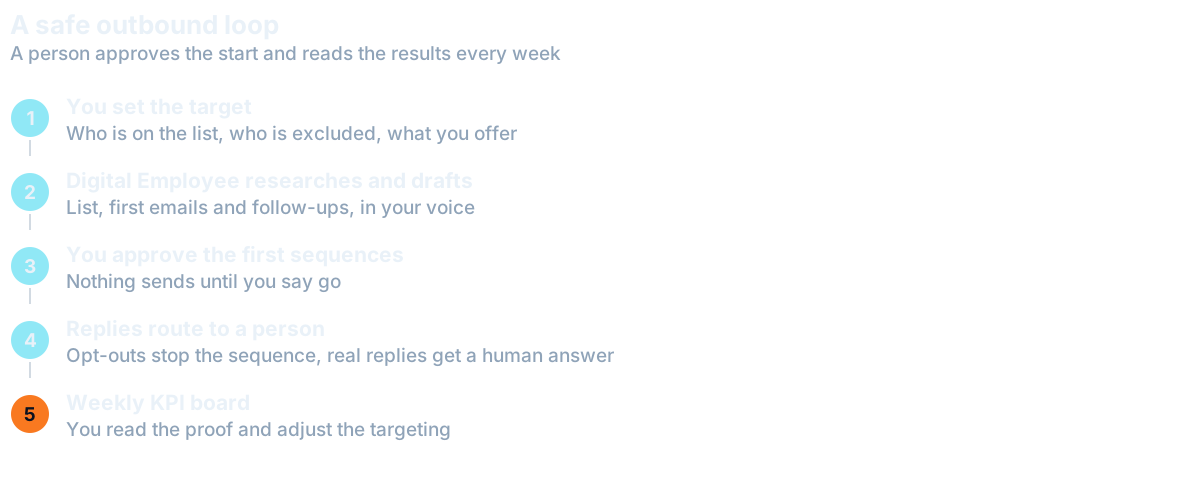
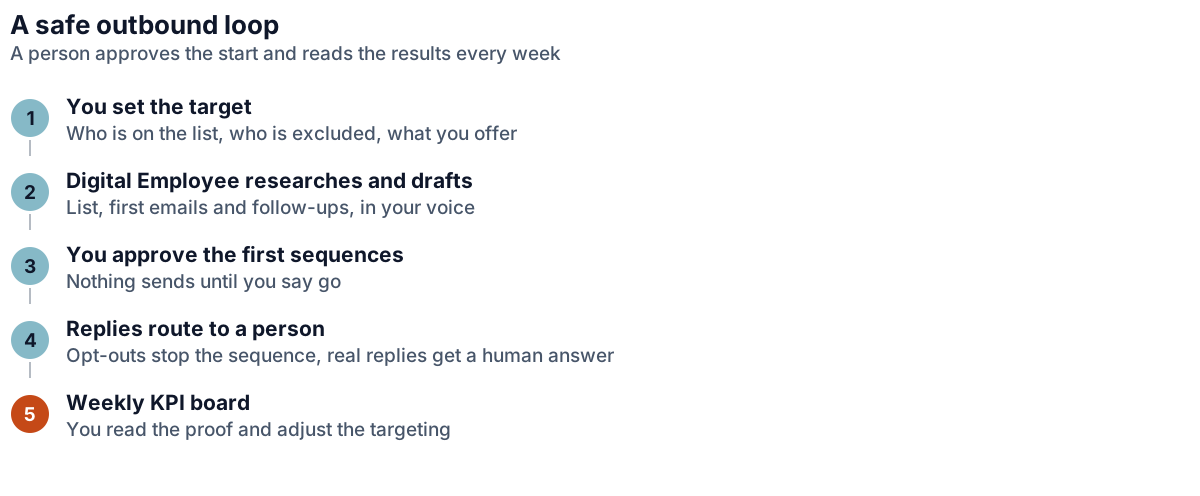
The last piece is the weekly KPI board. Your Digital Employee reports every week with proof of the work: who it contacted, who replied, which replies it routed to a person, which prospects it dropped and why. You are not guessing whether it is working. You read the board, and you change the targeting or the copy when the numbers say so.
When a Virtual Assistant Still Wins
Some outbound work should stay with a person, and pretending otherwise costs you meetings.
A Cold Caller VA wins whenever the first contact needs a voice. Calls run on a tested script, and a good caller handles the pause, the objection and the “not now, call me in March.” Nothing in an email sequence does that.
An Appointment Setter VA wins when a warm reply needs a human to find a time, confirm it and chase the no-show. Our guide to the appointment setter role covers what that person owns.
A Lead Generation VA is the right call when your ideal customer is hard to define, or the list needs a person's eye on every record. Judgment about fit is slow to automate and cheap to get wrong.
The pattern is simple. If the work leaves your business as a conversation, give it to a person. If it prepares for the conversation, a Digital Employee can carry it.
The Hybrid Team Version
A Hybrid Team puts people and Digital Employees on the same job. For outbound, the typical pairing is a Lead Generation VA with a Lead Researcher Digital Employee: the Digital Employee builds and checks the list and drafts the outreach, and the VA reviews it, takes the replies and keeps the human relationship going. Add an Appointment Setter with a Speed-to-Lead Responder for inbound leads, and a Cold Caller VA when you want calls.
Who looks after the Digital Employee depends on you. It can be HireTrainVA, someone on your team, or a VA. The VAs on the team arrive ready for the role and are coached under our management, with a dedicated account manager and weekly scorecards. The people keep the calls, the judgment and the relationships, and anything that leaves your business waits for approval until you say otherwise.
If you are weighing the options, our page on the three ways to hire compares them side by side.
Where to Start
Start with one question: which of your outbound tasks follow the same steps every time? Write them down. Then mark the ones where a wrong move costs you a customer or your sender reputation. Those stay with a person.
If you would rather not do that sorting alone, the free Founder's X-Ray is a 15-minute scan that maps your week and says which tasks fit a virtual assistant, a Digital Employee or both. Bring the result to a discovery call and we will build the outbound loop around it, with you approving the targeting and the first sequences before anything sends.
Questions Owners Ask
What is an AI SDR?
An AI SDR is software that does the early-stage work of a sales development rep: researching prospects, building lists, writing first emails, running follow-ups and logging activity in the CRM. It works best on rule-based steps, with a person deciding targeting and handling real replies.
Can an AI SDR replace a human SDR?
Not fully. It can take over research, drafts, follow-ups and logging. People should keep targeting, replies that need judgment, calls and qualifying. We recommend pairing a person with a Digital Employee rather than taking the person out of the job.
How does an AI SDR hurt my sender reputation?
It can send far more email than a person, so a weak list or generic message produces complaints and bounces quickly. Google tells senders to keep spam rates below 0.10% and avoid reaching 0.30%. Approving targeting and the first sequences first keeps that risk down.
Is cold email with an AI SDR legal in the US?
The FTC's CAN-SPAM guide applies to business-to-business email too, and requires you to honor opt-outs within 10 business days. Using software to send does not move that responsibility off you. This is general information, not legal advice, so check with your own counsel.
Want this handled for you?
We map the work eating your week and match a skilled specialist, typically in 7-14 days.